

Setup
-
Go to your CodSpeed settings
Required permissions: If you are importing a repository from an organization, you need to be either a Provider Admin or a Admin of this organization. Check out the CodSpeed Roles & Permissions page for more information.
-
Generate a Personal Access Token on GitLab. CodSpeed accepts fine-grained and
legacy tokens.
- Fine-grained token
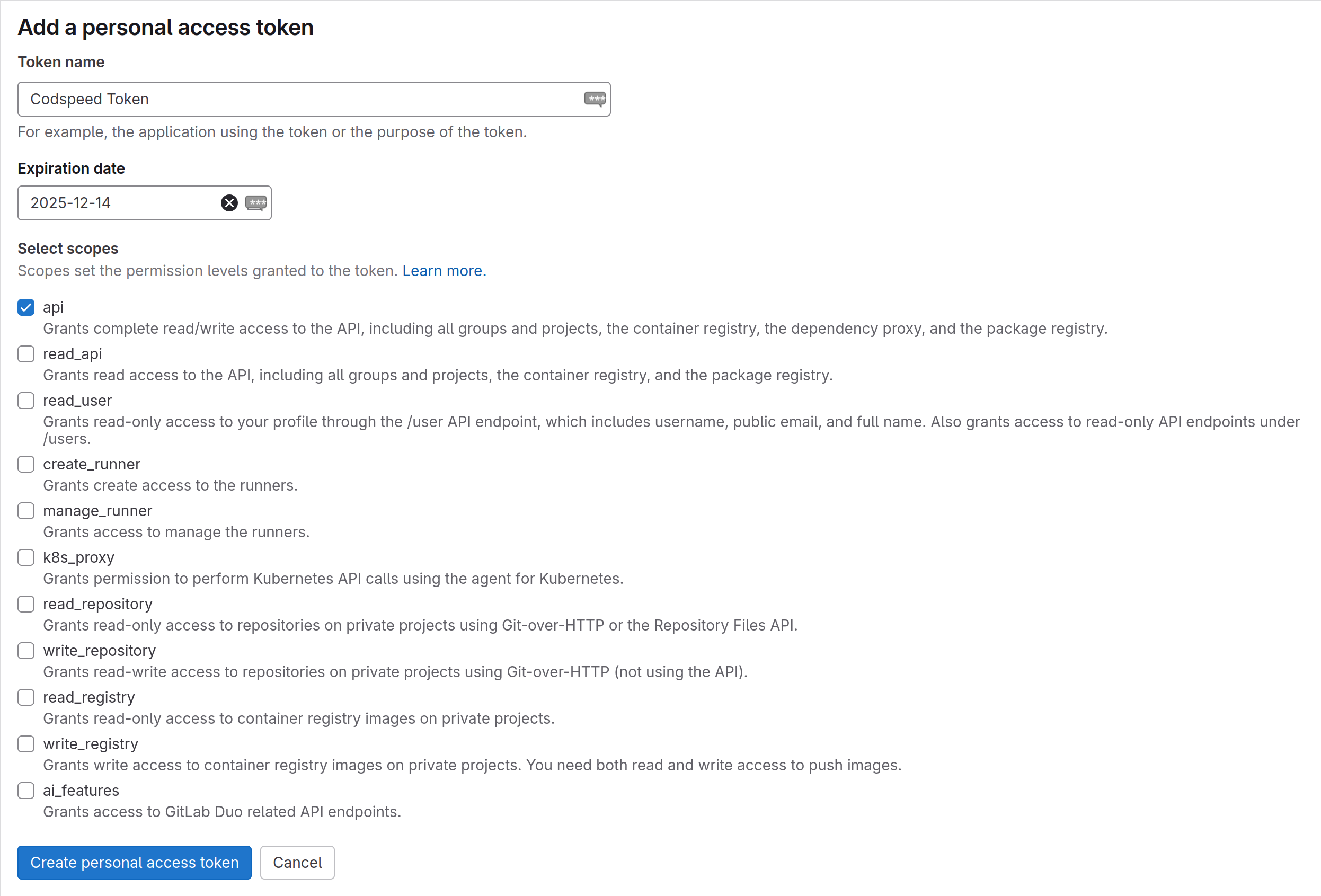
- Legacy token
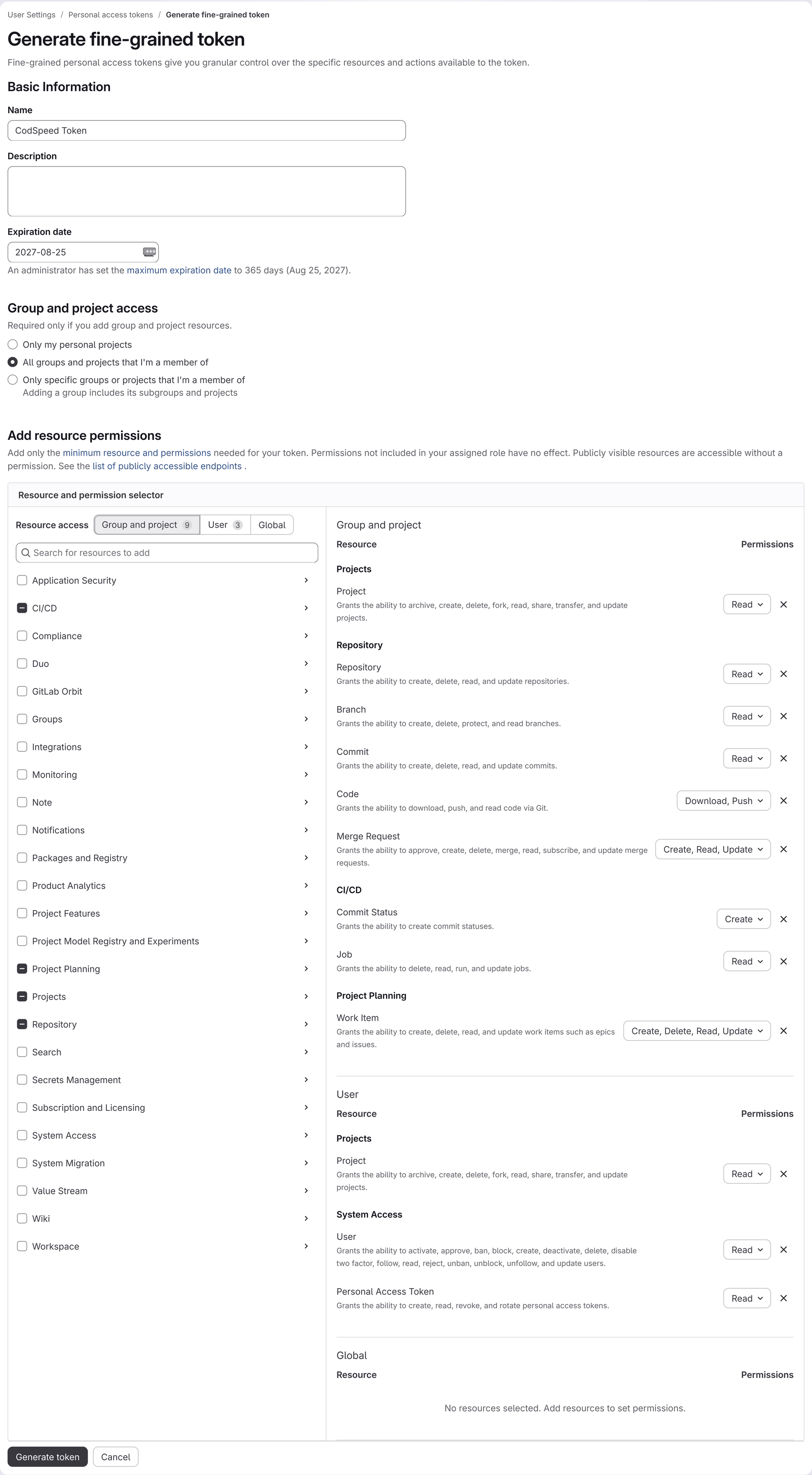
Open the fine-grained token form and fill it in:- Expiration date: set it to one year. It defaults to one month, and your CodSpeed integration stops working once the token expires.
- Group and project access: select All groups and projects that I’m a member of.
- Add resource permissions: grant the permissions below, switching between the Group and project and User tabs of the Resource access selector.
- CI/CD: Commit Status (Create), Job (Read).
- Project Planning: Work Item (Create, Delete, Read, Update).
- Projects: Project (Read).
- Repository: Branch (Read), Code (Download, Push), Commit (Read), Merge Request (Create, Read, Update), Repository (Read).
- Projects: Project (Read).
- System Access: Personal Access Token (Read), User (Read).
-
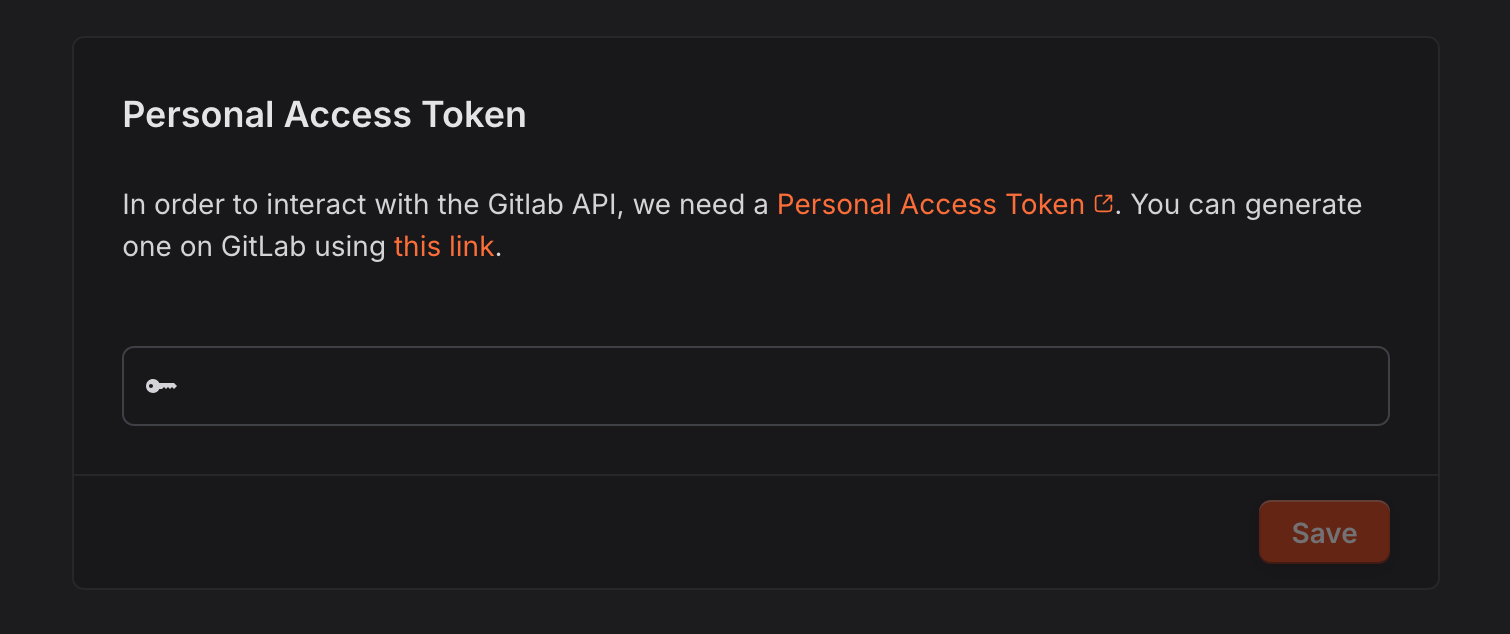
Fill the Personal Access Token in
CodSpeed settings
-
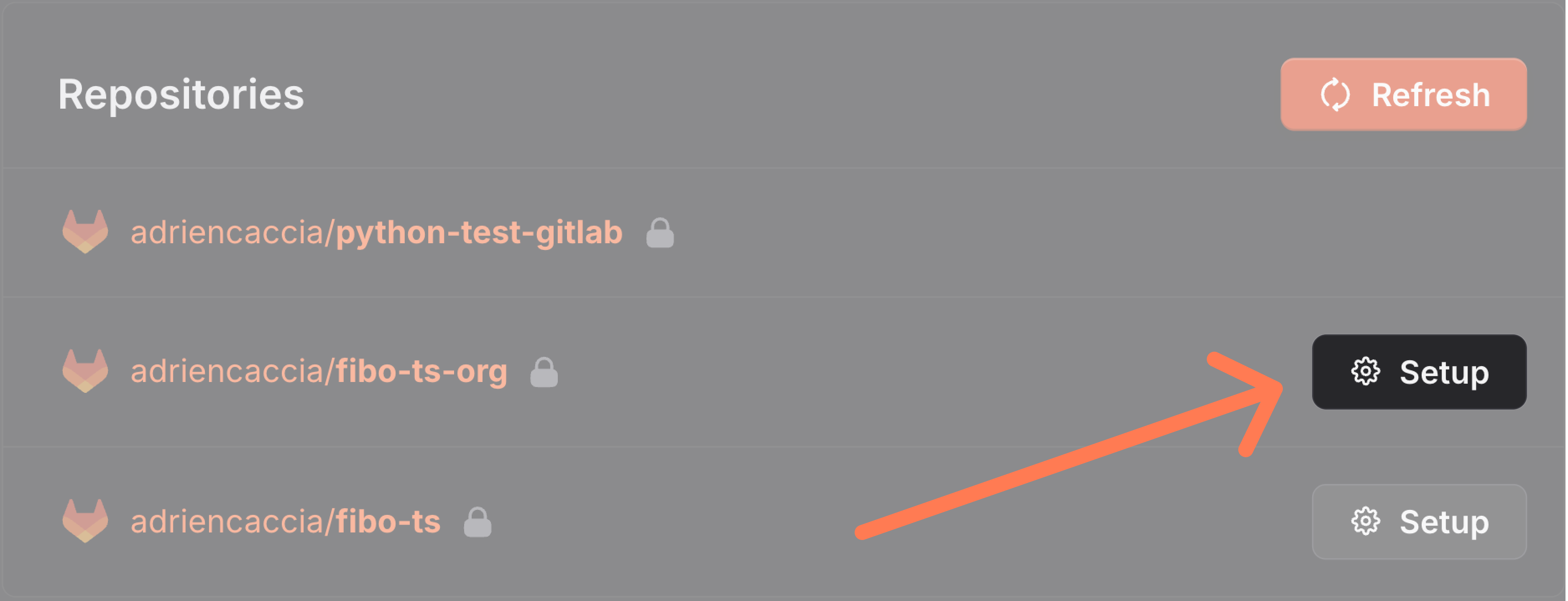
Your repositories should appear in the list of repositories.
GitLab permissions
Theapi scope of a legacy token covers everything CodSpeed does. A
fine-grained token grants only the permissions you select, listed here with what
CodSpeed uses them for.
Group and project
- CI/CD
- Commit Status (Create): required to publish the performance report as a commit status.
- Job (Read): required to follow the GitLab CI jobs running your benchmarks.
- Project Planning
- Work Item (Create, Delete, Read, Update): required to publish and update the performance report comment on merge requests.
- Projects
- Project (Read): required to read repository settings, such as the default branch and the visibility.
- Repository
- Branch (Read): required to resolve the head commit of a branch.
- Code (Download, Push): required to clone a repository and push the branch of an optimization opened by the CodSpeed wizard.
- Commit (Read): required to read commits and the statuses published on them.
- Merge Request (Create, Read, Update): required to read merge requests, open the ones the wizard suggests, and request reviewers on them.
- Repository (Read): required to find the commit two runs have in common, which is the baseline a merge request is compared against.
GitLab classifies merge request comments as work item notes, which is why the
report comment needs the Work Item permissions. They also cover issues and
epics in the same boundary.
User
- Projects
- Project (Read): required to list the repositories you can import.
- System Access
- Personal Access Token (Read): required to read the expiration date and the permissions of the token itself.
- User (Read): required to identify the account CodSpeed acts as when it pushes and comments.