

For now, only the following OS and versions are supported on the runners:
- Ubuntu 22.04 and later
- Debian 12 and later
1. Create the benchmarks job
Create a new job to run the benchmarks for your repository. For example, you can add this job to your existing pipeline by adding a section in your.gitlab-ci.yml file with the following content:
.gitlab-ci.yml
Sample configurations
- Python
- Rust
- Node.js
.gitlab-ci.yml
CodSpeed only currently supports docker images that are based on Ubuntu or
Debian.
2. Check the results
Once the workflow is created, your merge requests will receive a performance report comment and will also receive some additional checks: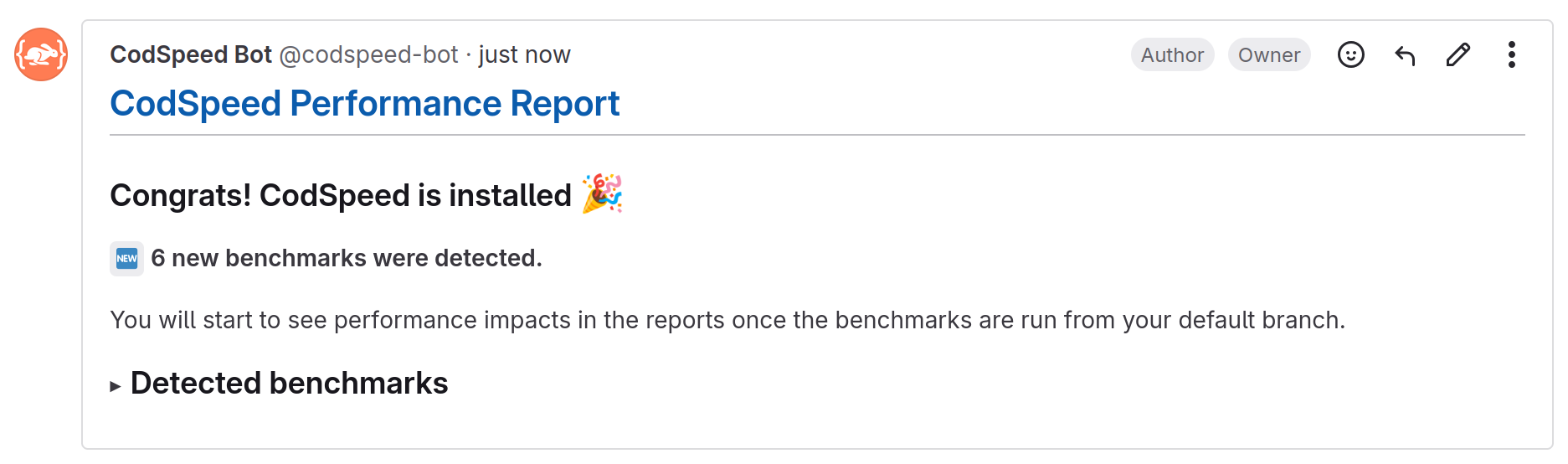
Merge Request Setup Comment with detected benchmarks

Merge Request Status Check with performance results
3. Next Steps
Now that everything is up and running (and hopefully green 🎉), you can start enhancing your workflow to get the most out of CodSpeed.Configure GitLab CI for CodSpeed
Learn how to configure authentication methods and advanced options for GitLab
CI
Explore the Performance Metrics
Understand the performance metrics generated by CodSpeed
Enforce Performance Checks
Make sure you or team members never merge unexpected performance regressions
Explore Profiling
Get detailed flamegraphs and performance traces for your benchmarks
Shard the execution of your benchmarks
Run your benchmarks in parallel to speed up your CI